Clear the Clutter: Your Calm, Connected Digital Life

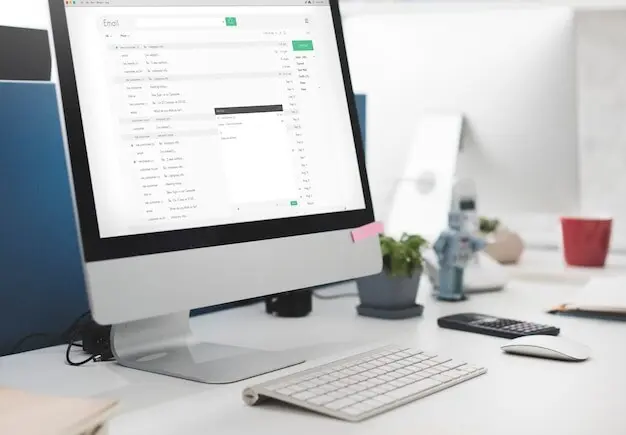
Let’s put digital decluttering routines front and center today, turning scattered screens into calm, reliable workspaces. We will map gentle daily touchpoints, weekly resets, and monthly deep cleans that free attention, speed devices, and reduce anxiety. Expect practical checklists, tiny automations, and human stories—like the relief that arrives after archiving thousands of emails and finally breathing easier. Share your wins, your snags, and the one habit you will try this week; together, we will make tidy the default.

Morning Habits That Keep Devices Light

Begin each day with a short, consistent routine that trims inboxes, calms notifications, and opens space for focused work. These quick practices reduce decision fatigue, prevent clutter from sneaking back, and create momentum. They are designed to be completed before coffee cools, so progress happens even on busy mornings without demanding willpower you would rather spend on deep work.

Three-Minute Inbox Sweep

Set a timer for three minutes and do nothing but archive, unsubscribe, and flag. Skip reading long messages; capture them for later with a single flag or label. Studies suggest knowledge workers face over a hundred emails daily, so rapid triage matters. Celebrate micro-wins by replying with a single sentence where possible, then stop when the timer ends to prevent inbox spirals.

Widget and Home Screen Reset

Each morning, glance at your home screen and ask which icons deserve today’s attention. Drag time-wasting apps to the second page, surface your calendar, and pin a single focus shortcut. Visual friction shapes behavior more than motivation alone, so curate what you see. Snap a weekly screenshot to compare progress, and share your cleanest layout with friends to inspire gentle accountability.

Mindful Notification Check-In

Open notification settings and demote one noisy app daily until your phone stops buzzing like a slot machine. Convert alerts to summaries or badges where possible. Keep only real-time messages for humans and logistics. This tiny practice reclaims attention without harsh digital detox rules. Post your before-and-after screen time average in the comments to cheer others on and refine your setup.

Screenshot and Download Purge

Screenshots and downloads multiply in the shadows, hiding storage costs and burying what matters. Spend ten minutes deleting duplicates, filing receipts, and naming anything you keep with clear dates. Create a rule: temporary files live in a weekly bin and vanish by Monday. You will uncover forgotten tasks, recover space, and rebuild trust in your folders as reliable, searchable homes for work.

Tab Triage Ritual

Open your browser’s tab list and choose: read now, save for later, or close forever. Tools like reading queues, highlight extensions, and note links make decisions easier. Aim for under twelve open tabs by the end. Your brain loves open loops, yet they drain energy. Archive research into a single project page, then celebrate with a fresh window that invites focused, intentional action.

Calendar and Commitment Review

Scan next week’s calendar and align meetings with your priorities. Decline or reschedule politely when the purpose is unclear. Attach agendas, links, and prep notes directly to events to prevent last-minute scrambling. Block one deep-work session and honor it like a flight. This simple review eliminates cluttered time, not just cluttered files, and restores agency. Tell us the one meeting you optimized this week.

Monthly Deep Clean for Files and Photos

Once a month, go deeper than daily and weekly upkeep. Curate photos, compress archives, and reinforce a simple structure that resists entropy. A thoughtful hour unearths hidden gems and reclaims gigabytes. You are building a library, not a landfill, so design for easy retrieval. Treat this as maintenance for memory and meaning, where fewer, clearer items make every search faster and kinder.

Automation That Supports Simplicity

Let machines handle repetitive sorting while you handle meaning. Small automations—filters, rules, and shortcuts—dramatically reduce clutter creep without adding complexity. The goal is assistive, not aggressive: simple rules you understand and can adjust. Start with one friction point, automate only after a week of observing patterns, then measure saved clicks. Keep a log so improvements compound and overwhelm never sneaks back.

Mindset and Boundaries in a Noisy World
Decluttering is not punishment; it is hospitality for your future attention. Boundaries protect energy the way folders protect files. Replace guilt with experiments. Choose kindness over perfection, and iterate until behavior feels natural. Remember: every yes implies a thousand tiny commitments inside your devices. Clear space on your screens and your schedule, and you clear space inside your head and heart as well.

Sustainable Collaboration and Shared Spaces

Shared drives, group chats, and project tools can multiply clutter faster than any individual device. Sustainable practices keep teams coordinated without chaos. Agree on names before files exist, prune channels, and set expiration dates for temporary spaces. Invite everyone to a monthly sweep where stale documents are archived. When shared systems stay light, collaboration speeds up, decisions clarify, and handoffs feel effortless.

Team Drives Without the Chaos

Establish a simple top-level map—Active, Reference, Archive—and teach it in onboarding. Require owners for each folder so decisions have a home. Add a quarterly review calendar event that asks, keep or archive. Use request forms for uploads to prevent random dumps. Share metrics after each cleanup, like files archived or folders merged. Visibility fuels participation, and participation keeps order a living habit.

Naming Conventions Everyone Can Follow

Pick a pattern like YYYY-MM-DD_Project_Version and document it with concrete examples. Create shortcuts or templates so names happen automatically. Consistent titles turn search into a superpower, even across tools. Post a side-by-side screenshot of chaos versus clarity to inspire adoption. When newcomers arrive, they succeed faster. When veterans return months later, they instantly know what changed and why it matters now.

Offboarding Digital Clutter When People Move On

Create a handover checklist: transfer ownership, archive inactive channels, export critical data, and remove tool access. Capture institutional knowledge in a brief playbook with links to final versions. This closure prevents phantom notifications and lost assets later. Celebrate contributions publicly, then tidy systematically. Share your favorite offboarding step in the comments so others can copy it. Kind endings make clean beginnings possible for everyone.

Lentosanovelto
Privacy Overview

This website uses cookies so that we can provide you with the best user experience possible. Cookie information is stored in your browser and performs functions such as recognising you when you return to our website and helping our team to understand which sections of the website you find most interesting and useful.